Outputs
Flower outputs the Data Package metadata (i.e., the content of datapackage.json) in a human-readable format. Flower can output this reformatted metadata in two ways:
- As text to be displayed directly, e.g. in a terminal.
- As file(s) that can be used to build documentation for a Data package (by default, files are in a CommonMark-compliant Markdown format with Quarto features).
Both output formats can be customised to suit different needs.
Terminal output
When outputting to the terminal, Flower generates a plain text representation of the Data Package metadata for a quick overview. As with file outputs, the terminal output can be customised using different styles.
File output: Built-in styles
Flower is designed to be extensible to make it easier for us to develop built-in styles and to expand them in the future. This extensibility also accommodates users using custom configurations and creating their own custom styles.
See our Examples page for a list of our built-in styles.
quarto-one-page (default)
The quarto-one-page style generates a single Quarto Markdown file, index.qmd, suitable for simpler Data Packages with a small number of resources and/or resources with a small number of variables. This is the default style, since it keeps the metadata together. It can be used to create a single-page website or PDF (rendered by Quarto).
For an example, see the Quarto one page style example.
quarto-resource-listing
The quarto-resource-listing style generates a file structure where each resource is documented in its own separate Markdown file, which is useful for more complex Data Packages with many resources and/or resources with many variables. The style includes an overview of the resources in a Quarto listing style in the index.qmd file.
With the flower study example, this style generates three files: index.qmd, resources/species-catalog.qmd, and resources/growth-records.qmd, as shown below.
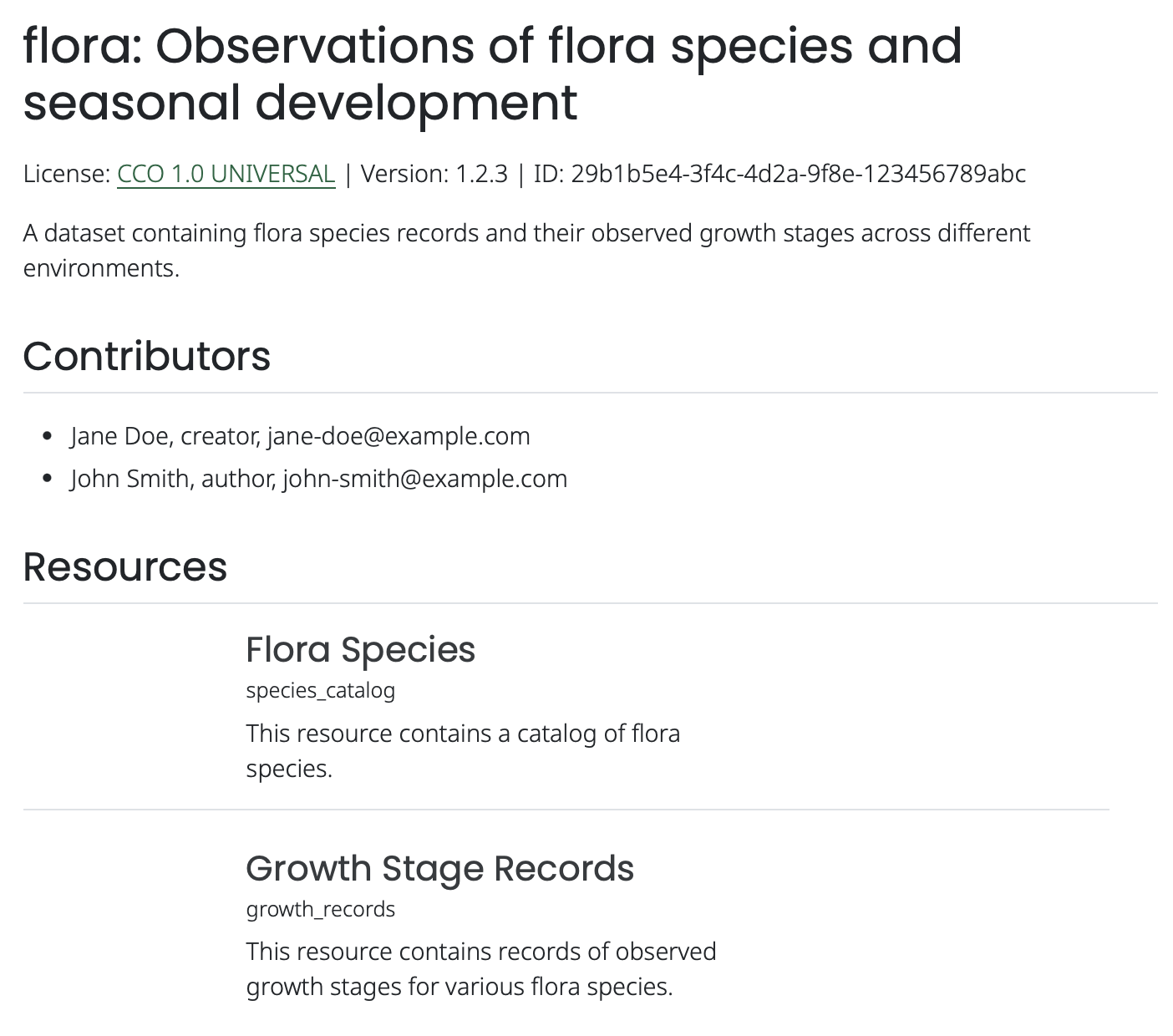
index.qmd with the quarto-resource-listing style.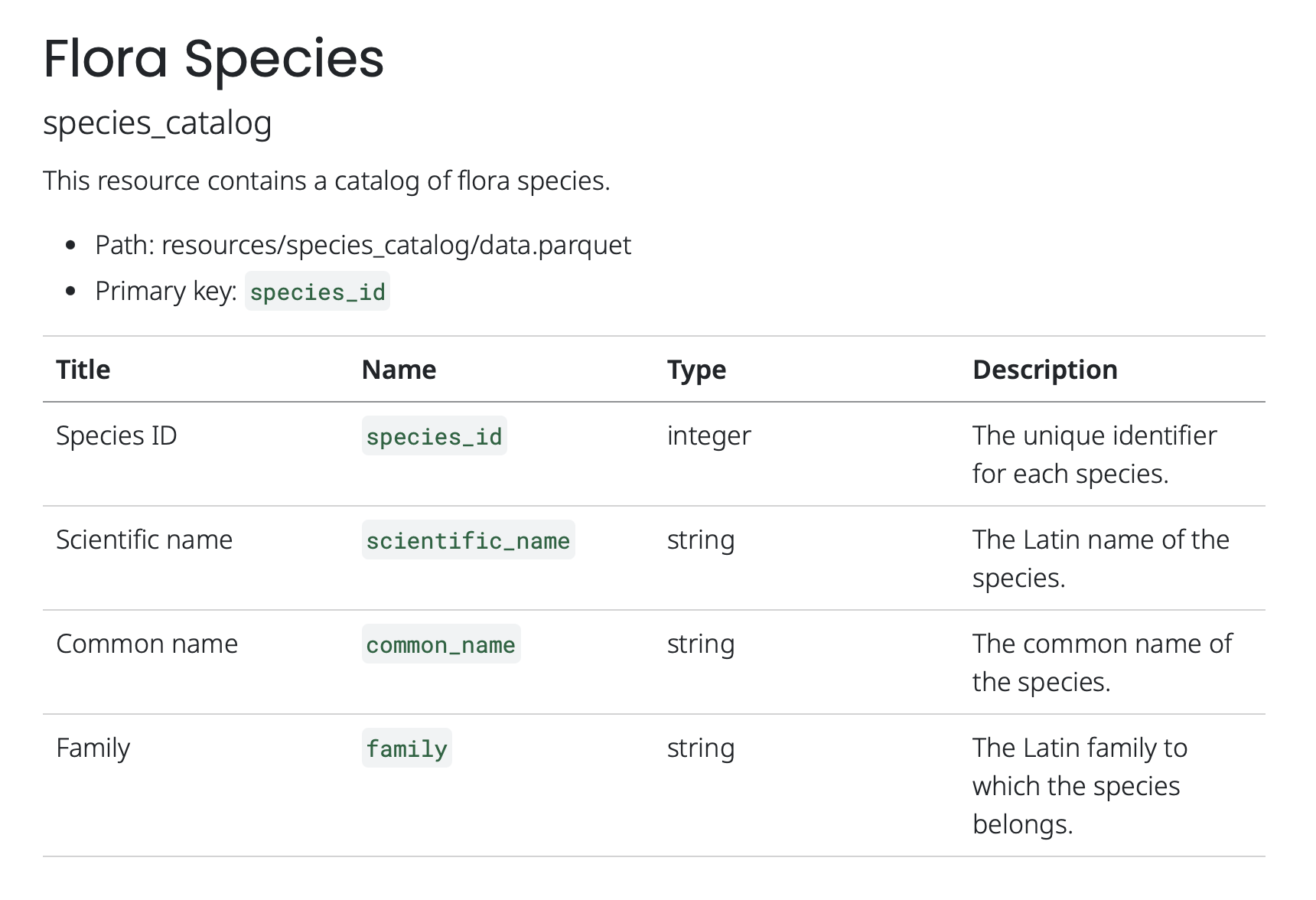
resources/species-catalog.qmd, with the quarto-resource-listing style. This would be the same with the quarto-resource-tables style.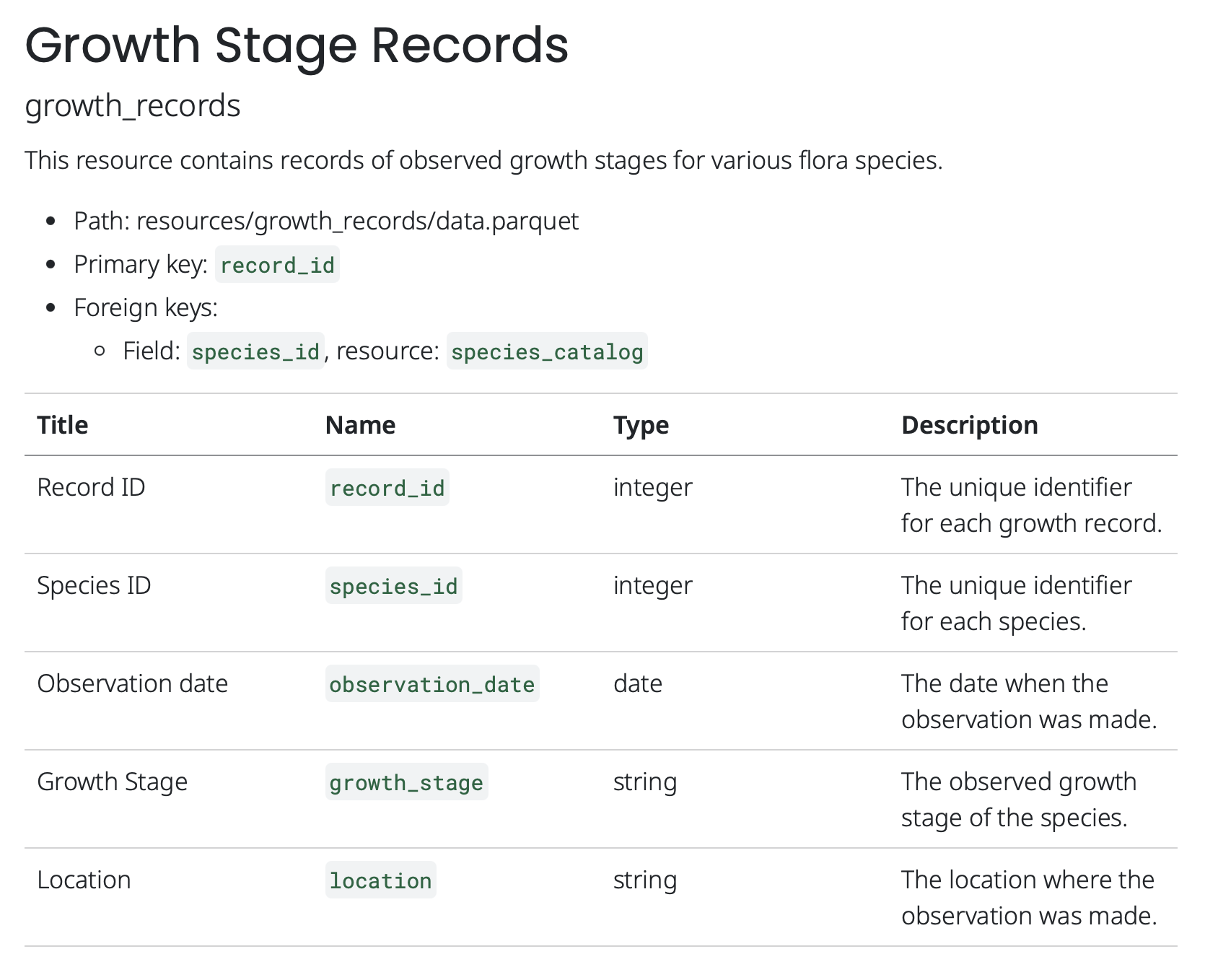
resources/growth-records.qmd, with the quarto-resource-listing style. This would be the same with the quarto-resource-tables style.index.qmd
---
listing:
    type: table
    contents: resources
    fields: [title, subtitle, description]
    field-display-names:
        subtitle: "Name"
---

# flora: Observations of flora species and seasonal development

License: [CCO 1.0 UNIVERSAL](https://creativecommons.org/publicdomain/zero/1.0/legalcode) | Version: 1.2.3 | ID: 29b1b5e4-3f4c-4d2a-9f8e-123456789abc

A dataset containing flora species records and their observed growth stages across different environments.

## Contributors

- Jane Doe, creator, jane-doe@example.com
- John Smith, author, john-smith@example.com

## ResourcesThe index.qmd file uses Quarto’s listing feature to generate a table listing of the resources in the Data Package, with their titles and descriptions.
The table is interactive, allowing users to search for specific resources based on their titles. Clicking on the title takes the user to the corresponding resource documentation file.
resources/species_catalog.qmd
---
title: "Flora Species"
subtitle: "species_catalog"
description: "This resource contains a catalog of flora species."
---

- Path: resources/species_catalog/data.parquet
- Primary key: `species_id`

| Title | Name | Type | Description |
| ---- | ---- | ---- | ---- |
| Species ID | `species_id` | integer | The unique identifier for each species. |
| Scientific name | `scientific_name` | string | The Latin name of the species. |
| Common name | `common_name` | string | The common name of the species. |
| Family | `family` | string | The Latin family to which the species belongs. |
resources/growth_records.qmd
---
title: "Growth Stage Records"
subtitle: "growth_records"
description: "This resource contains records of observed growth stages for various flora species."
---

- Path: resources/growth_records/data.parquet
- Primary key: `record_id`
- Foreign keys:
    - Field: `species_id`, resource: `species_catalog`

| Title | Name | Type | Description |
| ---- | ---- | ---- | ---- |
| Record ID | `record_id` | integer | The unique identifier for each growth record. |
| Species ID | `species_id` | integer | The unique identifier for each species. |
| Observation date | `observation_date` | date | The date when the observation was made. |
| Growth Stage | `growth_stage` | string | The observed growth stage of the species. |
| Location | `location` | string | The location where the observation was made. |
quarto-resource-tables
As the quarto-resource-listing style, the quarto-resource-tables style generates a Quarto documentation structure where each resource is documented in its own separate Markdown file. The difference lies in the index.qmd file, where resources are summarized in a table format instead of a listing. With this style, the tables are filterable and columns can be sorted, making it easier to find specific resources and variables within a Data Package.
For an example, see the Quarto resource tables style example.